Lightpanda 1.0 built 21 of 28 real JavaScript sites, but only with the right wait setting
Lightpanda is an open-source headless browser built for AI agents and automation. It isn’t based on Chromium, and it doesn’t render pages graphically. Version 1.0.0 was released on October 2, 2026, and 1.0.1 on October 15.
Its README says it’s “16x lighter and 9x faster than Chromium”. Both of its published benchmarks use Lightpanda’s own demo sites. Its benchmark notes explain why one of them uses a homemade page, “because Lightpanda browser is not yet fully compliant”.
So I tested it on real sites. I used the 28 homepages that needed JavaScript in my 1,000-site test, with headless Chromium on the same pages, on the same day. I ran everything twice.
The biggest difference came from a setting, not from the browser engine. With its default wait setting, Lightpanda built 12 of the 28 sites. With one flag, it built 21 in the first run and 22 in the second.
The test
I ran everything from Mumbai on October 17, 2026, on an Apple M3 Mac.
- Sites. The 29 homepages that needed JavaScript in my earlier test. Dailymotion didn’t finish loading in Chromium within the time limit, so the results cover 28.
- Lightpanda. Version 1.0.1, one
lightpanda fetchprocess per page, with telemetry turned off. I tried 3 wait settings,load,networkidleanddone, each with a 15-second limit. - Chromium. Headless Chromium 156 through Playwright, waiting for
networkidle. - What counts as built. As in my earlier test, I counted a site as built when Lightpanda got at least half of Chromium’s words. I then compared the text itself, as shown below.
One wait setting changed the result
| Wait setting | Sites built of 28 (run 1, run 2) | Time per page | Peak memory |
|---|---|---|---|
load (the default) | 12, 12 | 2.1 to 2.4 s | 96 to 97 MB |
networkidle | 21, 22 | 4.4 to 4.8 s | 115 to 117 MB |
done | 20, 21 | 15.1 s | 111 to 113 MB |
| Headless Chromium | 28, 28 | 7.0 to 7.5 s | 554 to 568 MB |
Time and memory are medians per page, over the 2 runs.
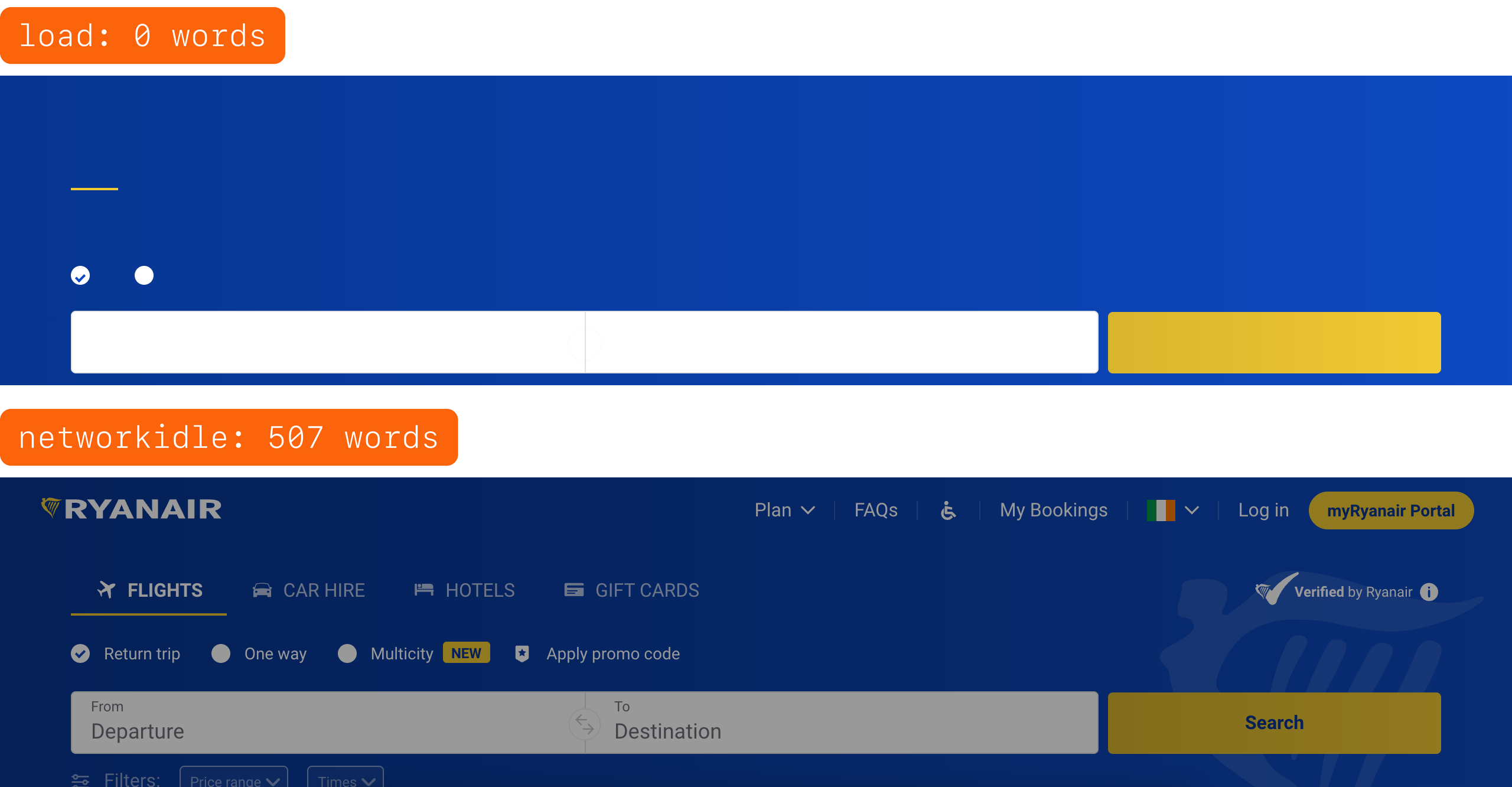
With the default, lightpanda fetch returns the page when the browser’s load event fires. Many JavaScript apps load their content after that. With --wait-until networkidle, Lightpanda waits until the page makes no more network requests for a short time. That gives the app time to build the page.
The done setting waits until no scripts or requests are left. Pages that keep polling in the background don’t reach that point, so most pages ran to the 15-second limit. On Yandex, it returned 4 words in both runs, where networkidle returned more than 6,000.
A correction to my earlier test. On October 3, I ran Lightpanda 1.0.0 with the default wait and reported that it built 12 of 26 real sites. That number was correct for the default. But it said more about the wait setting than about Lightpanda, so I’ve added a note to that post.
Is it the same page?
A word count only shows that text came back. To check the text itself, I measured how much of Chromium’s text also appeared in Lightpanda’s.
Busy homepages change between visits, so I first compared Chromium’s 2 runs with each other. On sites like Yandex and Threads, Chromium matched its own earlier run on only about a third to a half of the text. On static sites, it matched almost exactly.
On 18 of the 21 sites it built, Lightpanda’s text matched Chromium’s about as closely as Chromium matched itself. On the other 3, Lightpanda missed part of the page.
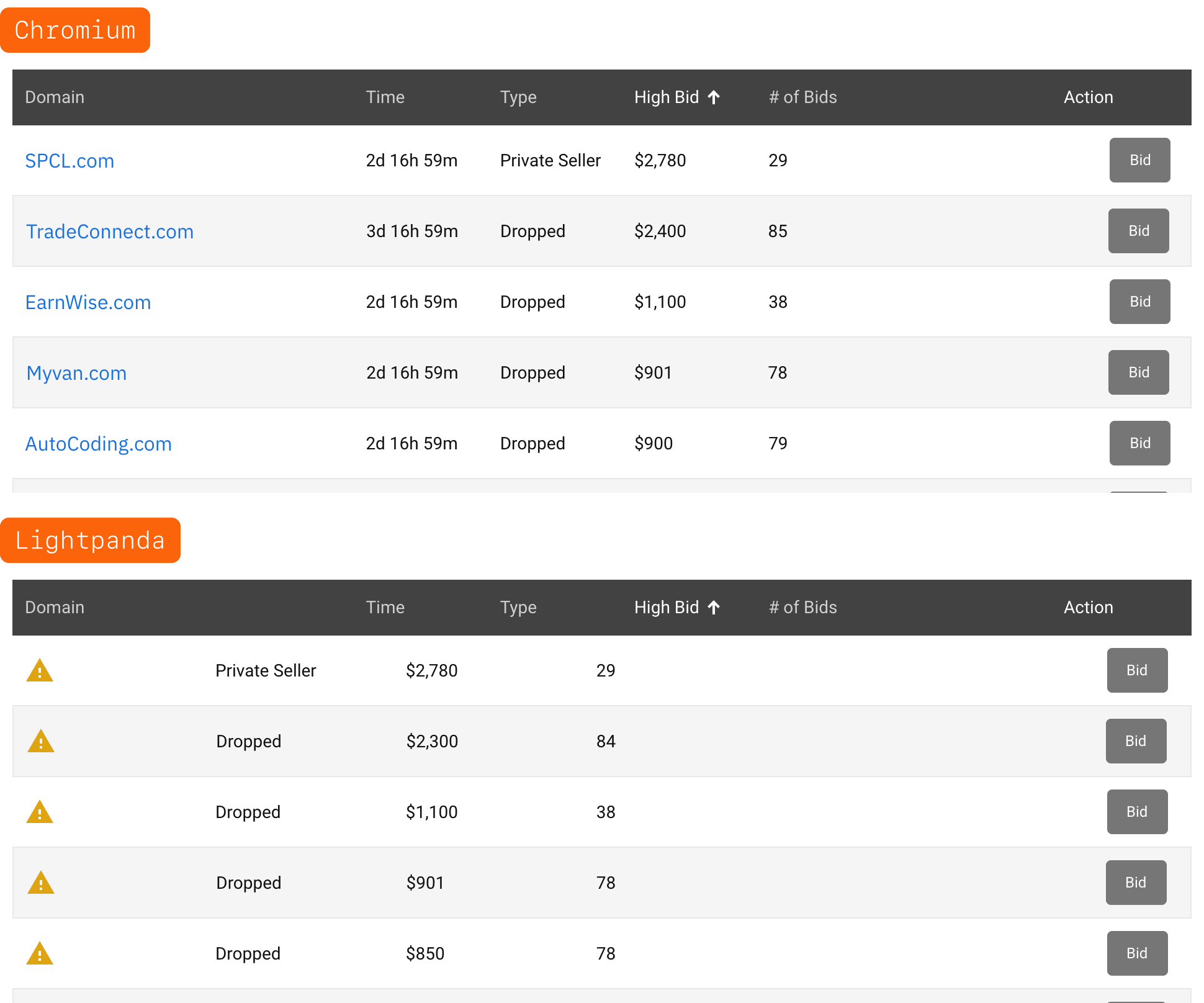
- DropCatch. It returned all 50 auction rows with the type, high bid and number of bids. But every row showed a warning icon where the domain name should be, and the time left was missing. Those are the main data on that page.
- Twitch. It missed the live channel cards for 2 categories, including their viewer counts.
- Spotify. It missed the country list and a few labels.
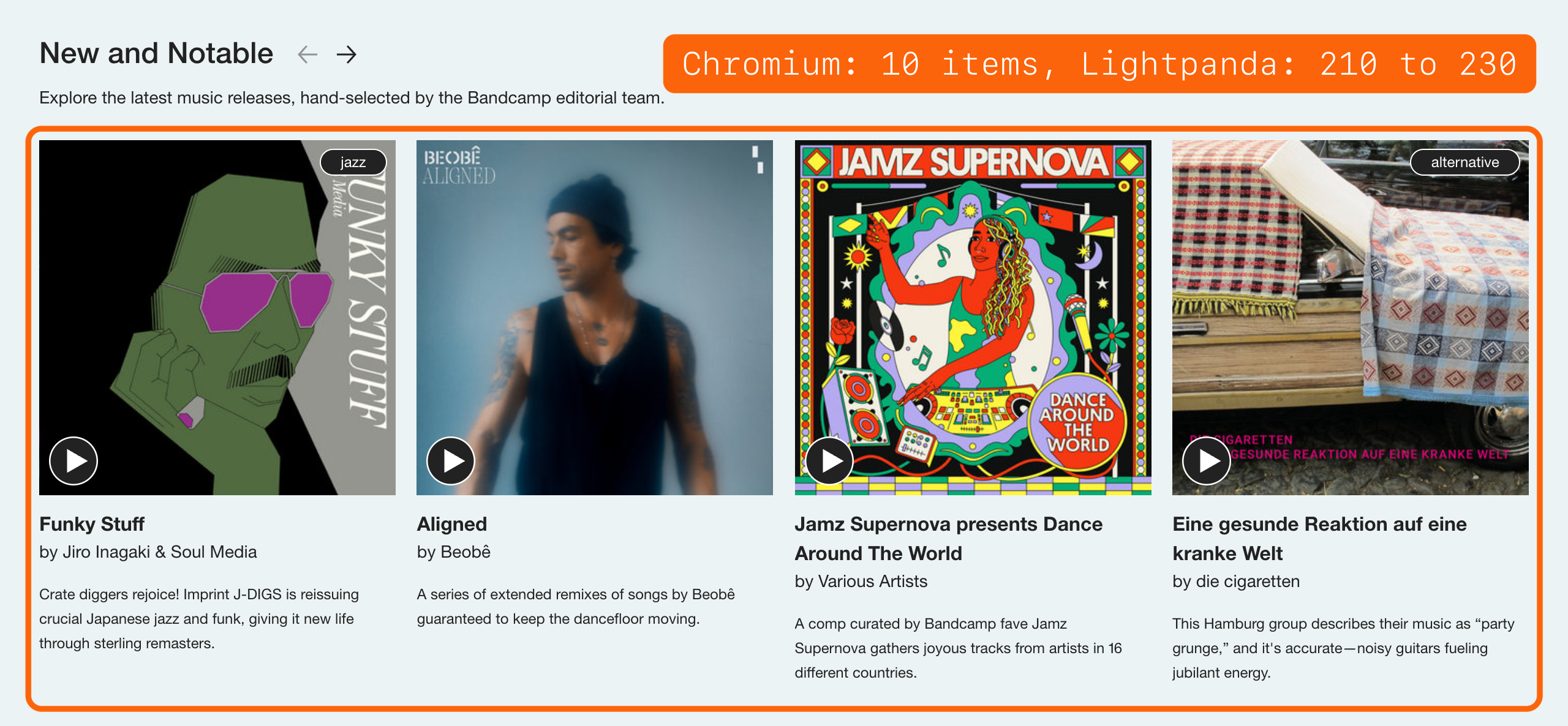
Lightpanda also returned more than Chromium on some sites. On Bandcamp, 3 carousels held between 131 and 230 items each in Lightpanda’s page, across the 2 runs. In Chromium’s page, the same carousels held 6, 10 and 10. A 20,000-pixel-tall Chromium window returned no extra text, so a larger window doesn’t explain it. I didn’t find the cause. For data collection that’s more data, but it also means more tokens for an AI agent, and a page that isn’t what a visitor sees.
Why 6 sites failed
The same 6 sites failed in both runs. Lightpanda’s log showed the cause for most of them.
| Site | What Lightpanda returned | Cause in the log |
|---|---|---|
| iCloud (and me.com, which redirects to it) | An empty app | TypeError: t.addEventListener is not a function |
| Imgur | The “JavaScript has been disabled” message | TypeError: Cannot read properties of null (reading '1') |
| TinyURL | An empty page | TypeError: invalid argument, and a fingerprint script found no OfflineAudioContext |
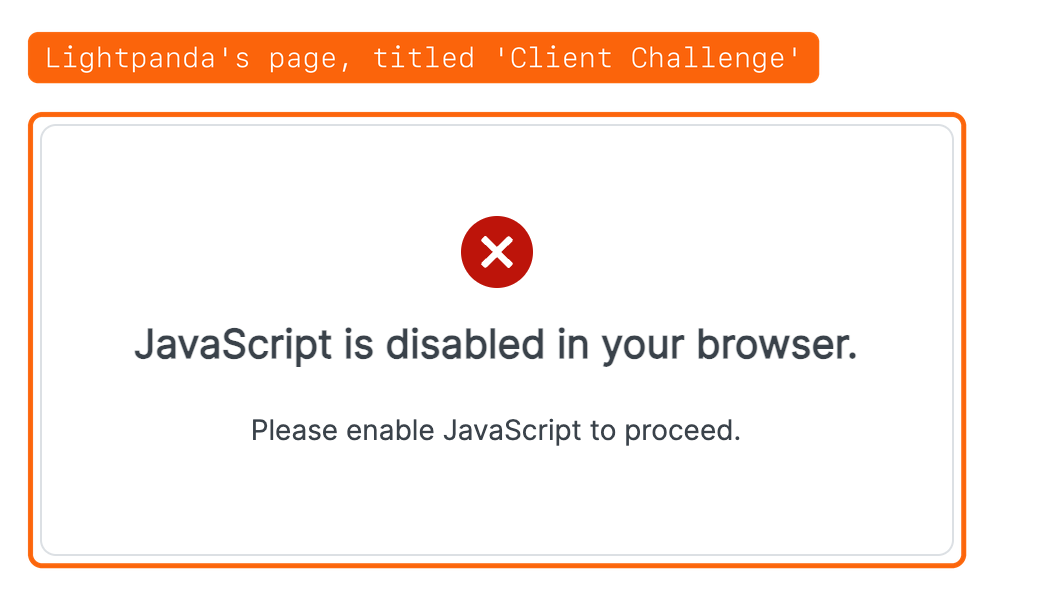
| Springer | A “Client Challenge” page | A bot check that Chromium passed |
| LINE | 95 words of 465 | No error in the log. The rest of the page didn’t appear. |
A seventh site, Bing, failed once. In the first run, Lightpanda got an empty document with a 200 status code. In the second run, it got the full page. A single run would have counted Bing as a failure.
Lightpanda identifies itself as Lightpanda/1.0 in its user agent. Its --user-agent option rejects any value that contains “Mozilla”, so it can’t present itself as Chrome. That’s a deliberate choice, and it’s one reason a site’s bot check may treat it differently from Chromium.
Speed and memory on real sites
Production teams load many pages at once, so I loaded the 21 sites Lightpanda built in both runs, 1, 4 and 8 pages at a time. Lightpanda ran one process per page, as in its own benchmark. Chromium ran one browser with each page in its own context. I ran the whole test twice.
| Pages at once | Total time, Lightpanda vs Chromium | Peak memory, Lightpanda vs Chromium |
|---|---|---|
| 1 | 117 to 125 s vs 222 to 248 s | 225 to 236 MB vs 897 to 1,010 MB |
| 4 | 30 to 39 s vs 69 s | 598 to 628 MB vs 1,862 to 1,917 MB |
| 8 | 19 to 28 s vs 47 to 50 s | 964 to 1,007 MB vs 2,822 to 3,026 MB |
On these real sites, Lightpanda was about 1.8 to 2.4 times faster and used about 2.8 to 4.5 times less memory. Each Lightpanda process used roughly 120 MB. Chromium shared one browser across its pages, so the memory gap got smaller as more pages loaded at once. Both browsers built 20 or 21 of the 21 pages at every level.
That’s a large saving, but it’s smaller than the published 9 times and 16 times. One likely reason is that real pages spend much of their load time waiting on the network. I didn’t measure that split.
What production teams can do with this
Lightpanda didn’t build every site. So the practical setup is a fallback. Lightpanda loads each page first, a check decides whether the page is complete, and the pages that fail go to Chromium.
At Extract Summit 2026, Logan Harless (opens in a new tab) described this kind of choice between methods with different costs and success rates. “It’s not worth just measuring what’s your total cost. What you care about is how much do I have to pay to get the data I want”. For browsers, that means time and memory per page that has the data, not per page loaded.
The check is the hard part, and this test showed 2 things about it.
- A JavaScript error in the log isn’t a useful signal. 8 pages that Lightpanda built also logged errors, so routing on errors would send good pages to Chromium.
- A simple content check caught every failure here. I tested one rule. Send a page to Chromium when it has fewer than 100 words or a challenge page title. In both runs, it flagged every failure and no page that Lightpanda built. I chose that threshold on these same 28 sites, so it’s tuned to them. In production, use a check for each site, like a selector that must exist or a field that must have a value.
The partial pages are the risk a word count misses. On DropCatch, Lightpanda’s page passed the word count and matched 64% of Chromium’s text, yet every row was missing its domain name and time left. Only a field-level check, like “every auction row has a domain and a time left”, catches that.
Two more points matter before Lightpanda goes into a pipeline.
- Telemetry is on by default. Lightpanda sends usage telemetry unless you set
LIGHTPANDA_DISABLE_TELEMETRY=true. - The license is AGPL-3.0. Check what that means for your product before you ship it as part of a service.
How to test a lightweight browser on your own pages
- Use the pages your pipeline really loads, not a demo page.
- Try more than one wait setting before you judge the browser.
- Compare the text with a full browser. Also compare the full browser with itself, so you know how much the page changes between visits.
- Read the browser’s log for the pages that fail. It often names the missing feature.
- Run everything at least twice. One of these sites failed once and worked once.
- Measure at the number of pages you’ll load at once, not one page at a time.
If you want the site list, the results or the scripts, email me and I’ll share them.